
Playing with friends: questions and fixes
A dropped connection, a page reload, the owner leaving or a full room — here is how Cá Viên Chiên handles each case when you play with friends, and what to do.
Last updated:
Cá Viên Chiên connection lost mid-day
When the connection wobbles, the game shows “Connection lost, reconnecting…” and retries every 2 seconds for up to 60 seconds. A guest who is back within 30 seconds keeps their place and the bag they were building.
Reloading is fine too: while you are in a room the page address carries the room code (?room=…), so a reload takes you back into the same room as the same player. If a guest closes the tab the spot is held for 30 seconds (reopening that closed tab gets it back); opening the link in a new tab joins as a new player.
The owner loses connection or leaves
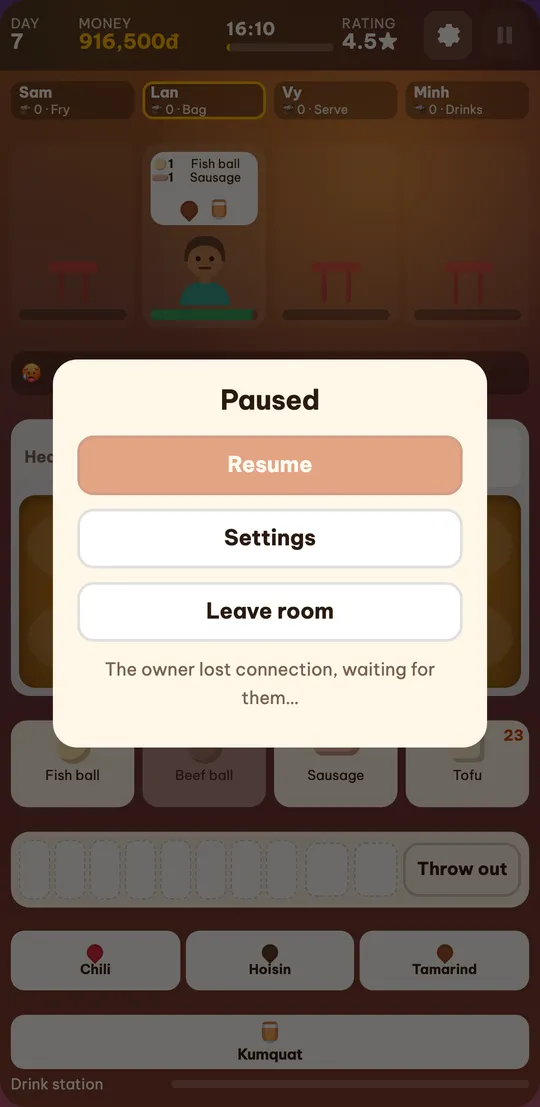
The day depends on the owner’s connection. If the owner drops, the day pauses for the whole room and guests see “The owner lost connection, waiting for them…”. If the owner is back within 60 seconds, everyone carries on as if nothing happened.
After 60 seconds, or when the owner clicks “Leave room”, the room closes: everyone sees “The owner closed the room.” and goes back to their own stall. The unfinished day does not count; the owner’s stall stays as it was after the last full day.
Who can pause when playing with friends?
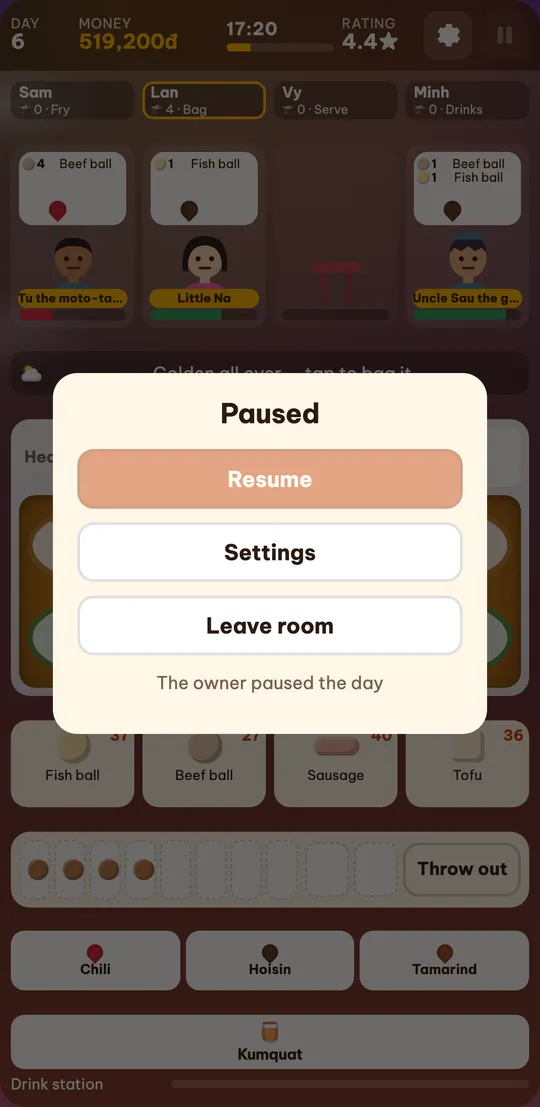
Only the owner. When the owner pauses (or presses Esc) the day stops for the whole room; guests see “The owner paused the day” and a locked “Resume” button.
Switching tabs or opening Settings — even as the owner — does not pause the day; unlike solo play, the game does not stop on its own.
Cá Viên Chiên room full or room not found
- “The room already has 4 players.” — the room is full. Wait for someone to leave, or ask the owner to create another room.
- “Room not found.” — the code was mistyped. Check the 6 characters (codes never use 0, 1, O, I or L, so they are hard to confuse). A closed room shows “The room has closed.” or “The owner closed the room.”
- “This room was opened in another tab or device.” — the same spot was just opened in another tab (a duplicated tab, for example); the old tab stops so the two do not fight.
- “Too many rooms created, try again in a minute.” — each network can create up to 5 rooms a minute.
No tip share arrived?
A tip share is added only once per player for that day. If it is not in your stall, it is usually because:
- You left the room or lost your spot before closing time.
- You joined after the day had ended — players who join at the summary get no tips for that day.
- That day had no tips: customers who wait too long leave no tip.
- You played in another tab of the same browser where you are the owner: both tabs share one stall, so the game does not add a tip share to that same stall.
Phones, computers and privacy
Any recent browser can join a room: Chrome, Safari, Edge and Firefox on Android, iPhone, iPad, Windows and Mac. You need a connection throughout the day.
Playing with friends needs no account: the room only knows the display name you typed. A room exists while people are playing in it; each player’s progress stays in their own browser.
Multiplayer FAQ
Do I lose the day if my connection drops?
Not if you are back in time. If your connection drops the game reconnects on its own; a guest keeps their spot for 30 seconds and the owner has 60.
Why can’t I join the room?
A room is full at 4 players (“The room already has 4 players.”). A mistyped code shows “Room not found.” and a closed room shows “The room has closed.”
Where do I report a multiplayer problem?
Send the device, the browser, the room code and what happened through the Contact page.