
Play Cá Viên Chiên with friends
Cá Viên Chiên has multiplayer: up to 4 friends run one fish ball stall together — one fries, one bags and sauces, one makes drinks, one serves. All it takes is a room code: no account, no download.
Last updated:
A co-op cooking game online: three ways to play
| How it works | Players | |
|---|---|---|
| Co-op stall | At the same time on one stall; each player has their own bag and shares the wok, the tray and the drink station | 2–4 |
| Challenge a friend | Everyone plays the same day on their own — same stall, same stream of customers — then compares scores through a link | Any number |
| Today’s challenge | One shared challenge per day; your first attempt of the day is the score that counts | Any number |
How to create a room
- Create a room. On the title screen click “Play with friends”, enter a name and click “Create room”. The room runs on your stall.
- Invite friends. Click “Invite” to send the link through Zalo, Messenger and so on, or read out the 6-character room code.
- Pick a role. Each player can pick a role: Fry, Bag, Drinks or Serve. Roles only split the work; anyone can do anything.
- Open the stall. The owner clicks “Start”, restocks and opens. Everyone serves together through a 100-second trading day.
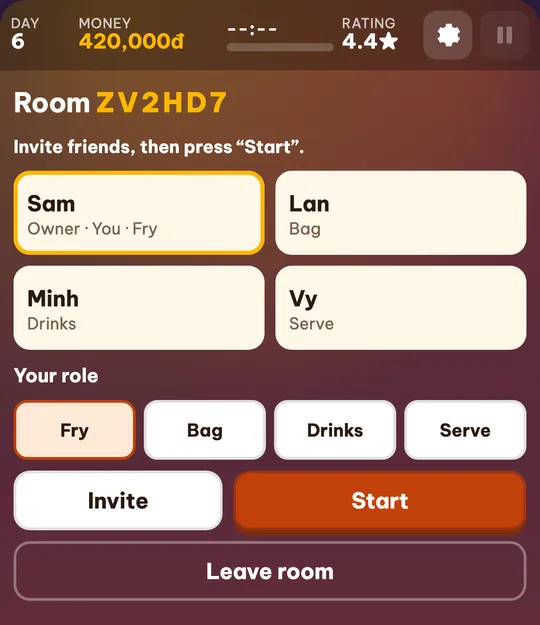
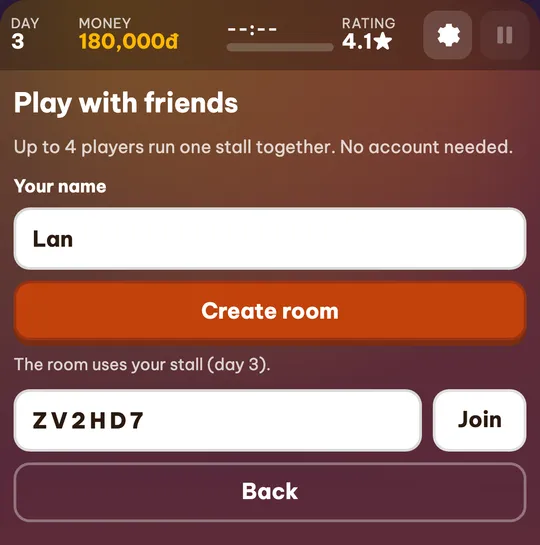
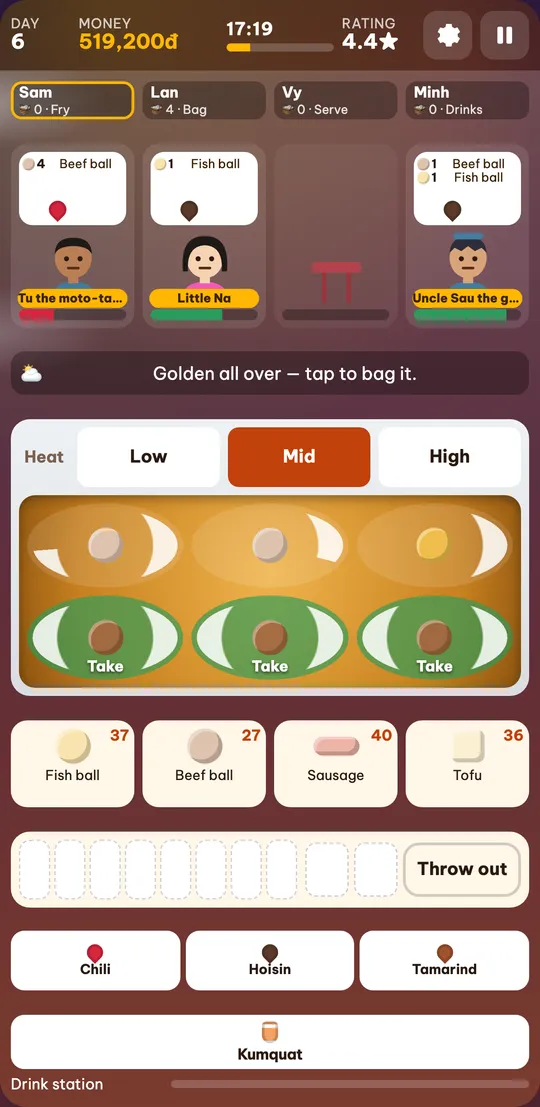
Splitting the work in a multiplayer food stall game
The wok, the ingredient tray, the heat and the drink station are shared. Each player has their own bag: pieces they take out, the sauce they pick and the drinks they make go into their own bag.
| Fry | Drop pieces into the wok, flip when the bottom is golden, set the heat. |
|---|---|
| Bag | Take golden pieces out into your bag and add the right sauce. |
| Drinks | Make kumquat tea, milk tea and more; a finished drink goes into the maker’s bag. |
| Serve | Tap a customer to hand over a bag that matches the order before they run out of patience. |
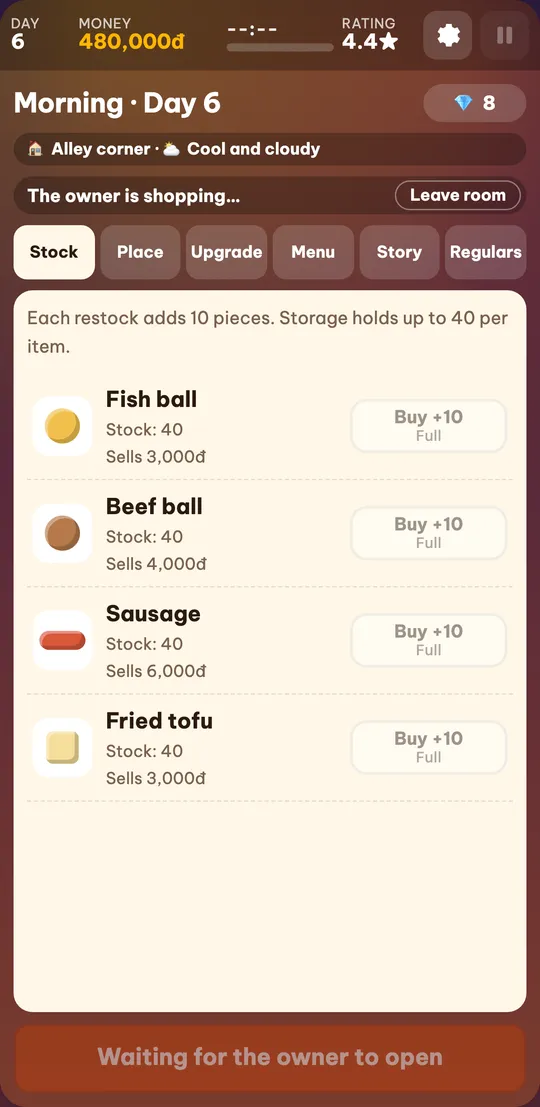
Who keeps what after each day
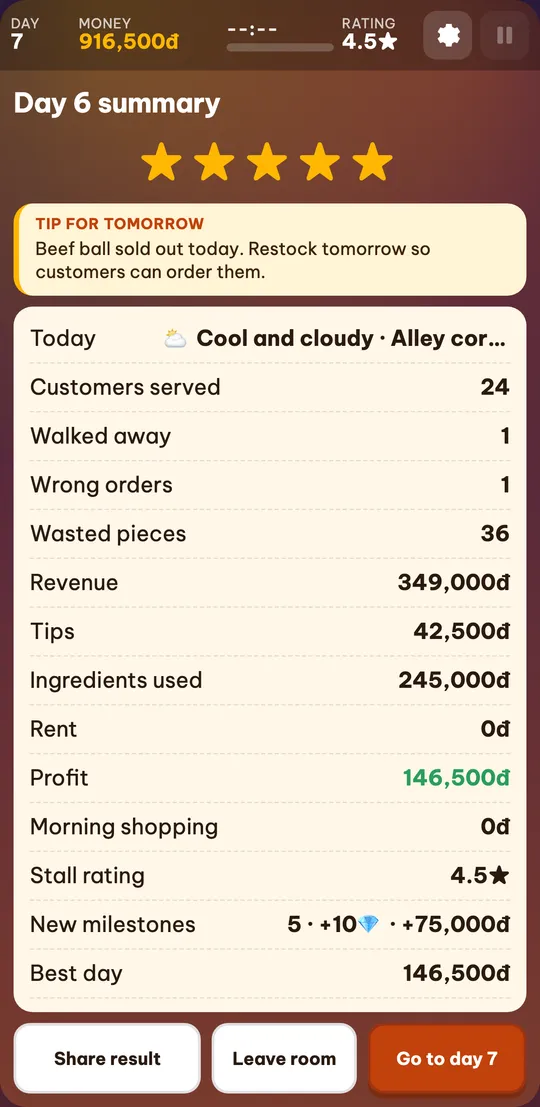
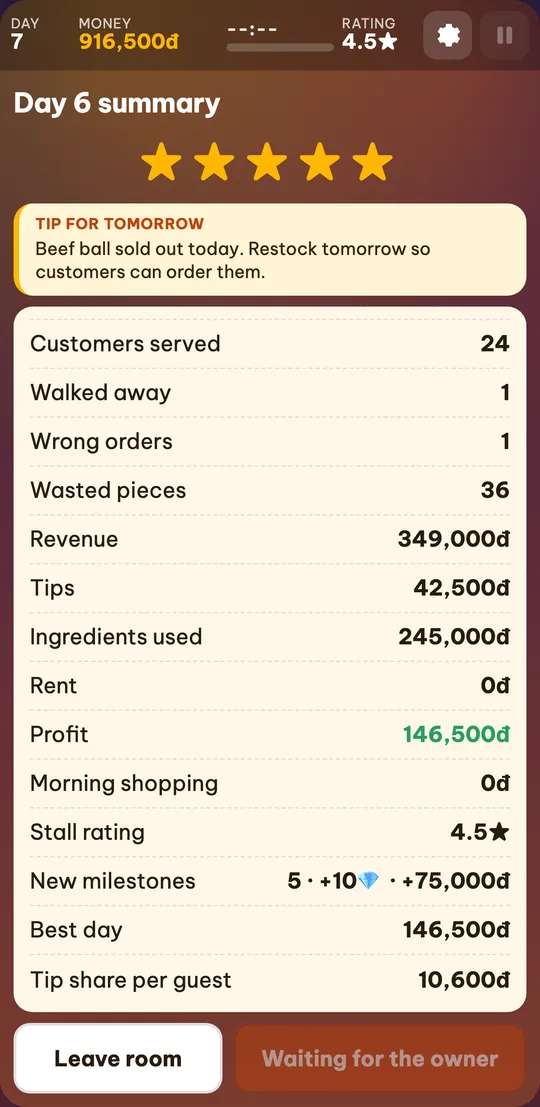
The stall belongs to the owner: sales, tips, stock, upgrades and story milestones are saved to the owner’s progress after each day.
Guests get a share of that day’s tips (tips divided by the number of players in the room), added to their own stall. Nothing else in a guest’s progress changes.
More customers come when more people run the stall, so a 4-player day stays busy.
Friend challenges and the daily cooking challenge
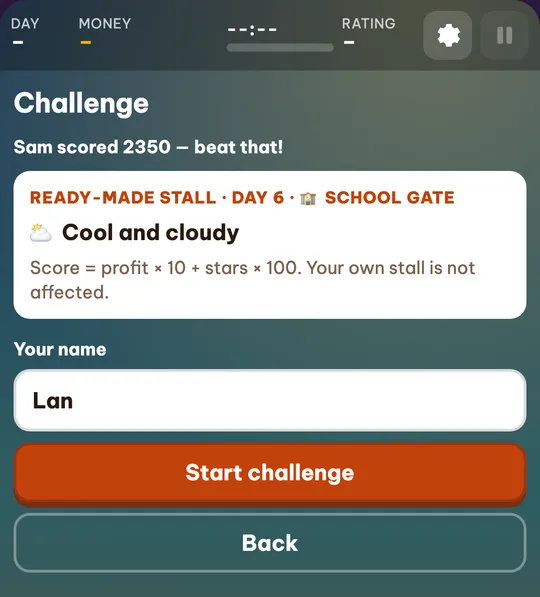
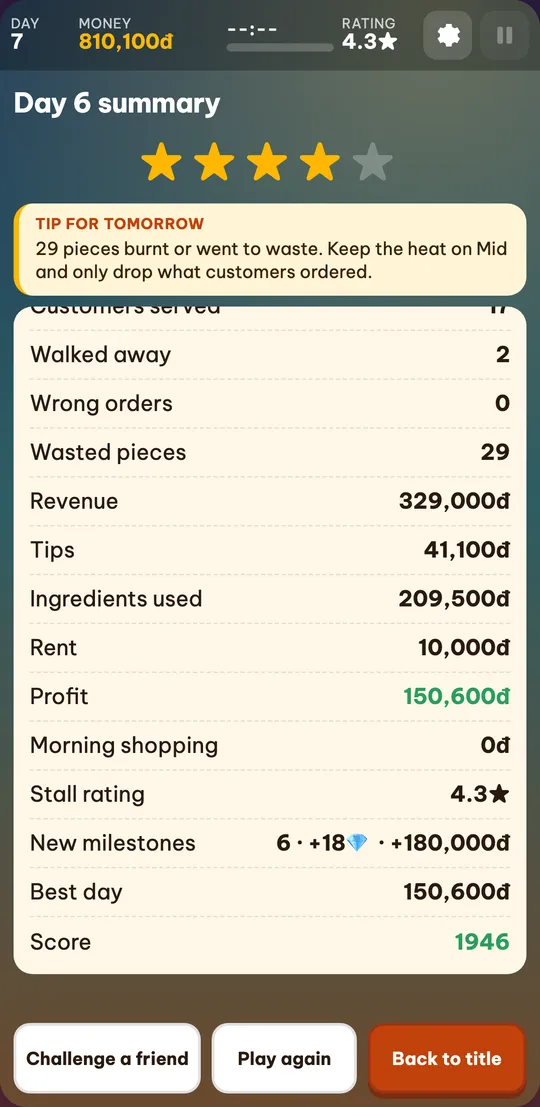
A challenge uses a ready-made stall (not your own), so everyone starts equal and your real progress is untouched. Customers arrive at the same times with the same orders for everyone.
Score = profit × 10 + the day’s average stars × 100. When you finish, click “Challenge a friend” to send the link with your score; your friend sees the score to beat.
Step-by-step guides
Playing with friends: FAQ
Can I play Cá Viên Chiên with friends?
Yes. Click “Play with friends” on the title screen to create a room, then send the link or room code to up to 3 friends.
Do I need an account for multiplayer?
No. You only enter a display name. Progress stays saved in each player’s browser.
How many players can join a room?
Up to 4 — one for each customer stool at the stall.
Can phones and computers play together?
Yes. Rooms run in the browser, so phones, tablets and computers can join the same room.
What happens if my connection drops?
The game reconnects on its own. A guest has 30 seconds to come back and keep their place and bag. If the owner drops, the day pauses and waits up to 60 seconds.
What do guests get?
Their share of that day’s tips is added to their own stall. Sales and the stall itself stay with the owner.
Is this a good cooking game to play with friends?
It is built for it: up to 4 friends share one wok, each with their own bag and a role, and the tips are split at closing time.
Does multiplayer cost anything?
No. Playing with friends and the challenges are free, with no in-app purchases.
Is this the Android app’s multiplayer mode?
No. This is an independent web game on the same theme and is not affiliated with The3n Studio or Google Play.